MEGA FRUIT BASKET
Available on iPhone & iPad
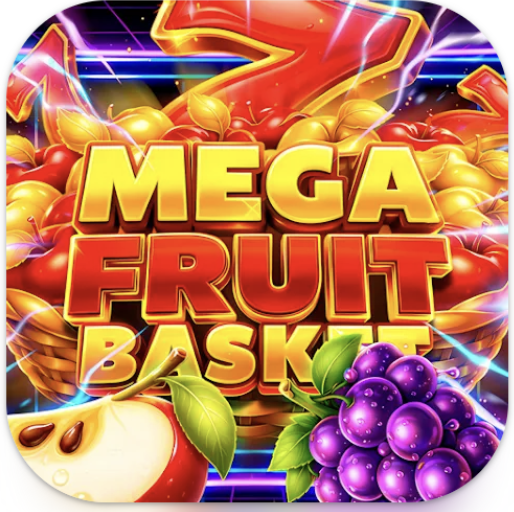
Mega Fruit Basket App Icon

Mega Fruit Basket for iOS

Optimized for iPhone and iPad with haptic feedback and Game Center

Experience casino-style arcade action designed for iOS. Catch falling fruits with precision touch controls, compete on Game Center leaderboards, and sync your progress across all your Apple devices with iCloud.

5,000+
Downloads
3+
Age Rating
1.0.3
Latest Version
Download on the App Store

Free download • No subscription required • Instant access

Built for iOS

Native Apple ecosystem integration from the ground up

Mega Fruit Basket for iOS brings casino-style arcade action to your iPhone and iPad with deep Apple ecosystem integration. Every catch triggers haptic feedback through the Taptic Engine, creating physical sensations that match on-screen action. The game adapts seamlessly between iPhone's portrait orientation and iPad's landscape mode, with touch controls calibrated for each screen size.

Game Center integration puts you on global leaderboards and tracks achievements across all your iOS devices. Your high scores, unlocked themes, and power-up inventory sync automatically via iCloud, letting you start a run on your iPhone during your commute and continue on your iPad at home without losing progress. Background App Refresh ensures leaderboard positions stay current even when the app isn't active.

The iOS version includes exclusive features: Siri Shortcuts let you launch directly into a new game with voice commands, while Split View and Slide Over support on iPad lets you keep an eye on the action while using other apps. The game respects Low Power Mode by reducing visual effects while maintaining 60fps gameplay, and supports Dynamic Type for accessibility. No account creation required — download from the App Store and start playing immediately.

App Store Details

Version 1.0.3
Last Updated February 24, 2026
Release Date February 14, 2026
Requires iOS 14.0 or later
Compatible With iPhone, iPad, iPod touch
Age Rating 3+
Size 85 MB
Game Center Supported
iCloud Sync Enabled
Developer Monirampurbazzer.com
How to Get Mega Fruit Basket

Four simple steps to start playing on your iPhone or iPad

1

Tap the Download Button

Tap any "Download on the App Store" button on this page. You'll be redirected to the official Mega Fruit Basket listing on the iOS App Store. The app page shows screenshots, ratings, and full details.

2

Tap GET and Authenticate

On the App Store page, tap the blue GET button. Authenticate with Face ID, Touch ID, or your Apple ID password. The download begins automatically once verified. Free — no payment required.

3

Wait for Download

Mega Fruit Basket is 85 MB and downloads in under 2 minutes on Wi-Fi. The app icon appears on your home screen with a progress circle. Download continues even if you switch to other apps or lock your device.

4

Open and Start Playing

Tap the app icon to launch Mega Fruit Basket. Grant optional permissions for Game Center and notifications. No account creation or sign-up required. Your first game starts immediately with a quick tutorial overlay.

Download on the App Store

Frequently Asked Questions

Everything you need to know about Mega Fruit Basket on iOS

Mega Fruit Basket requires iOS 14.0 or later. This covers all iPhone models from iPhone 6s onwards, iPad models from iPad 5th generation onwards, and iPod touch 7th generation. The app is optimized for newer devices with ProMotion displays (iPhone 13 Pro and later, iPad Pro models) to take advantage of 120Hz refresh rates for ultra-smooth animations.
Yes, Mega Fruit Basket is a universal iOS app that runs natively on iPhone, iPad, and iPod touch. The game automatically adapts its interface for each device: portrait orientation on iPhone with touch controls optimized for one-handed play, and landscape orientation on iPad with wider gameplay area. Your progress syncs via iCloud, so you can switch between devices seamlessly.
The initial download from the App Store is 85 MB. After installation, Mega Fruit Basket occupies approximately 120 MB including cached data and save files. The game does not download additional content during gameplay, so this size remains constant. If you're running low on storage, iOS will automatically remove cached data while preserving your progress and unlocked content.
Yes, Mega Fruit Basket is fully playable offline. All game content is included in the initial download — no internet connection required for gameplay, power-ups, or theme unlocks. Internet access is only needed for Game Center leaderboard updates and iCloud save sync. Your scores and progress are saved locally and will sync to the cloud automatically when you reconnect.
Yes, Mega Fruit Basket includes full Game Center integration. Sign in with your Apple ID to access global leaderboards showing top scores from players worldwide, compare your ranking with friends, and unlock 20+ achievements for reaching score milestones, maintaining long combo chains, and collecting all visual themes. Your Game Center profile displays your total achievement points and best rank.
Yes, if you're signed into iCloud on both devices. Mega Fruit Basket uses iCloud to sync your high scores, unlocked themes, power-up inventory, and Game Center achievements across all your iOS devices. Changes sync within seconds when connected to the internet. You can start a game on your iPhone and continue on your iPad without losing any progress. iCloud sync is enabled by default but can be disabled in iOS Settings if needed.
The iOS version includes exclusive features not available elsewhere: haptic feedback through the Taptic Engine that responds to every catch and power-up activation, Game Center integration for achievements and leaderboards, iCloud save sync across Apple devices, Siri Shortcuts for voice-activated quick launch, and iPad-specific features like Split View and Slide Over multitasking. Core gameplay mechanics and visual design remain identical across all platforms, but iOS integration makes this the most polished version.
Yes, Mega Fruit Basket supports Apple's Family Sharing feature. Once you download the app, up to six family members can install it on their own devices at no additional cost. Each family member maintains their own separate progress, high scores, and unlocked content. Game Center leaderboards let family members compete directly by filtering to show only family rankings alongside global scores.

What's New in Version 1.0.3

Latest improvements and iOS-specific enhancements

Release Notes

v1.0.3
  • Enhanced haptic feedback patterns for iPhone 13 Pro and iPhone 14 models with improved Taptic Engine precision
  • Optimized performance for iPad Pro with ProMotion — gameplay now runs at native 120Hz for ultra-smooth animations
  • Fixed iCloud sync delay that occasionally prevented progress from updating between devices immediately
  • Added Siri Shortcuts support — create custom voice commands to launch directly into a new game
  • Improved Game Center leaderboard loading speed by 40% when switching between global and friends rankings
  • Refined touch controls for iPad in landscape orientation with expanded hitbox areas for more comfortable gameplay
  • Resolved visual glitch on iPhone 14 Pro Max where Dynamic Island occasionally overlapped score counter in portrait mode
  • Updated app icon with iOS 16 design guidelines — now features subtle depth effect on supported devices

Ready to Play on iOS?

Download Mega Fruit Basket now and experience casino-style arcade action designed specifically for iPhone and iPad. Game Center integration, iCloud sync, and haptic feedback included.

Download on the App Store

Requires iOS 14.0+ • Compatible with iPhone & iPad • No ads • Rated 3+ • 85 MB download